AI Workflow Editor
AI workflow automation: open source, on your own infrastructure.
With FlowDrop, your rules stop being guidelines and start doing the work: you connect building blocks into a workflow and decide where AI weighs in and where your rules apply. You work with the models you choose, backed by AI governance you can prove.
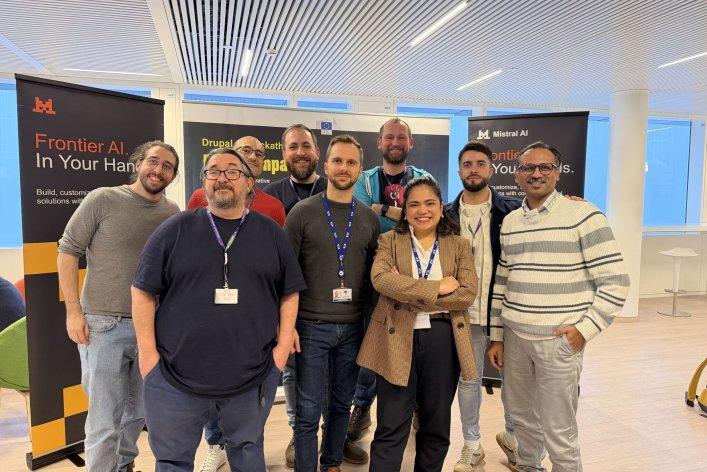
Winner of the European Commission’s Drupal AI Hackathon, Play to Impact 2026
Open Source
Drupal module under GPL, editor under MIT
Self-hosted
Runs on your infrastructure, with your own models
Vendor independent
Choose and switch models, per node
Auditable
Evidence lives in the audit trail, not in a chat history
Who it’s for
Built for the IT team that holds it all together
Small IT teams in mid-sized companies and regulated organisations hold a lot together on their own: infrastructure, security and requests from every department. Meanwhile, each department is adopting its own AI tools, with no strategy and no governance. FlowDrop was built for the people expected to bring it all back together.
The challenge
Where things really get stuck
1
Every approval waits on you
Is this exception allowed? Can this data go into that system? Should this tool be approved? You decide. And because you decide, the whole organisation waits on your calendar.
2
Every new tool adds to the patchwork
Each department works with different vendors and solutions. Every decision made sense on its own, but together they form a patchwork. Nobody sees it but you.
3
You’re accountable for rules that don’t exist
What the system was allowed to do, who signed off, how a decision was reached: you’re the one expected to answer. And you have to piece it together from emails, minutes and memory.
The solution
AI lives inside the workflow.
You set a rule once, and from then on it’s executed, not interpreted, even after a model update or a switch to a new vendor. Deterministic nodes do the work, and the AI model is only called at clearly defined points, for clearly defined decisions.
What this looks like in practice
A department requests a new tool. The request comes in through a form, and a model reads it to identify the vendor, purpose and type of data. Then your rules take over: Is the vendor on the approved list? Is personal data involved? Is the amount above your threshold? Anything within the rules is approved and logged. Everything else comes to you, with a summary already prepared. You only see the cases that actually need you.
Your advantage
What changes for your team
IT sets the framework, editorial teams work within it. Nobody waits on anyone.
01
For IT and development
Define rules once and stay in control of models, data and costs.
No more siloed tools
FlowDrop uses the users, permissions and content of your Drupal installation. No extra system to run alongside your CMS.
Treat workflows like code
Export them as YAML, version them in Git and deploy from development to production the way you always do.
No vendor lock-in
Choose and switch the model for each node. Your rules stay the same, even with a new vendor.
Pay for models only where decisions happen
Deterministic nodes handle the routine. The model is only called when there’s a real decision to make.
02
For editorial teams and business units
Repetitive tasks run on their own. You step in where it counts.
Right inside Drupal
FlowDrop runs as a module in your CMS. No extra tool, no copying between systems.
Starts on its own
Workflows kick off automatically when content changes, when someone triggers an action or when a schedule says so.
Hand off the routine
Analyse content and sort it into categories, with ready-made building blocks for exactly these tasks.
Keep the final say
The workflow pauses for an approval, a choice or an input, and picks up again as soon as you respond.
In practice
See what your workflow is doing
Testing used to mean leaving the editor, digging through logs and hunting for the broken step. In FlowDrop, you build and test in the same place.
01
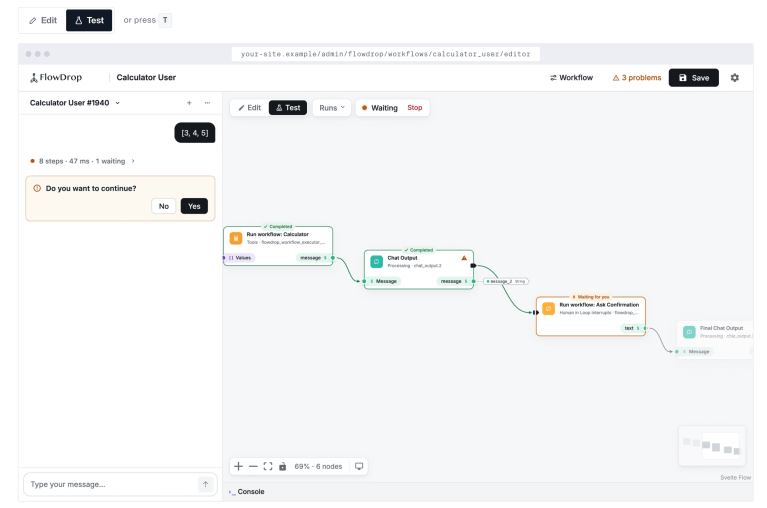
Build and test in one place
A single switch moves you between building and testing. In test mode, the Playground sits right next to your workflow. Workflows with fixed inputs get a form instead of a chat, and past runs can be reused with one click.
02
Every run leaves a trail
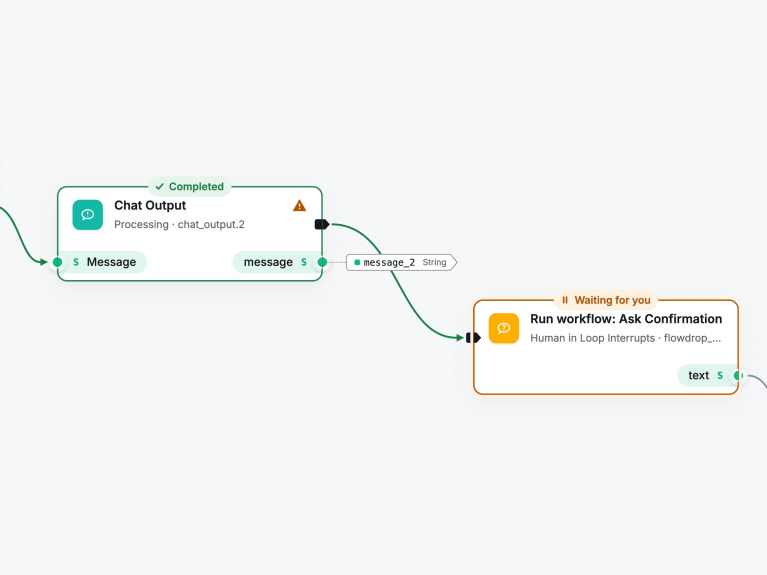
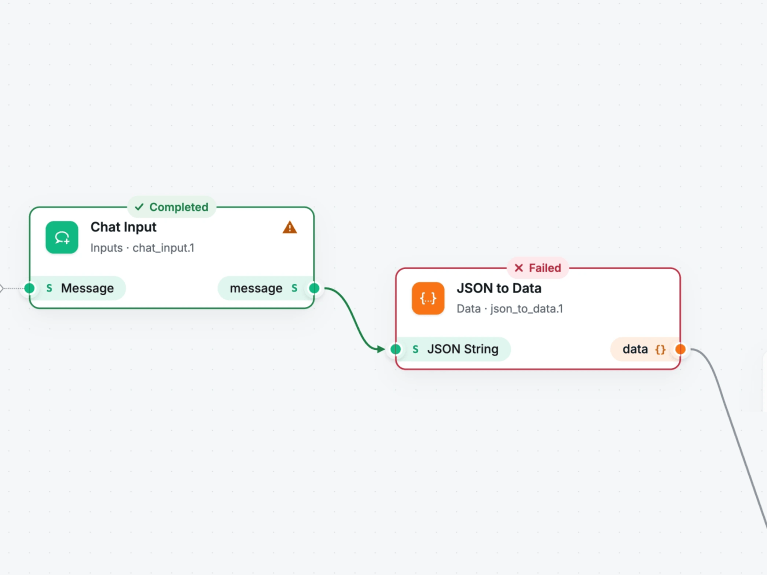
Each step shows how it went: completed, waiting for you, failed or skipped. The path the run took lights up. Click a node to see its status, duration, input and output. No log files, no guessing which run you’re looking at.
03
Find errors instead of hunting for them
When a step fails, it turns red and the editor tells you why. One click, and the AI Assistant explains exactly that run. The editor flags problems in the workflow before you save, and many can be fixed with a click.
04
The interface is right on the canvas
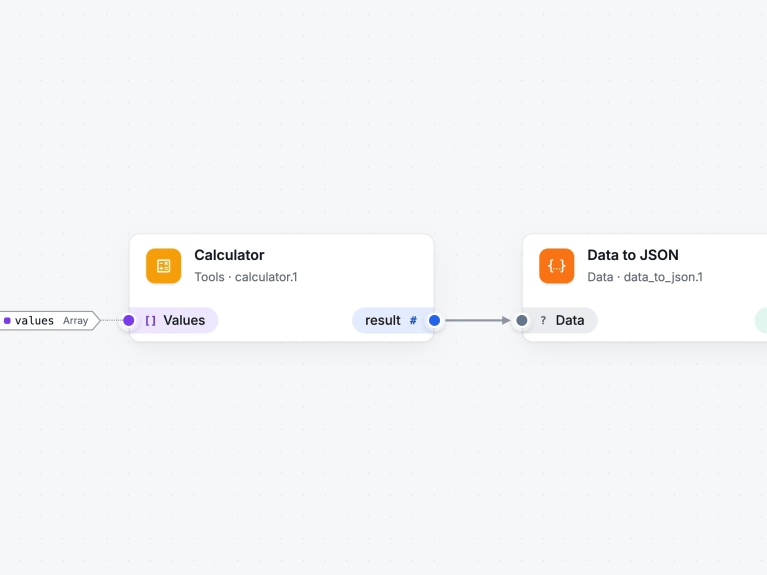
What a workflow takes in and what it returns is shown right at its ports, along with the data type. Whether it’s called by an API, another workflow or an agent, you see at a glance what goes in and what comes out. And the editor can be embedded in your own application.
Always the latest version
If anything has changed since the last save, the editor saves before the test run. An outdated version never gets tested.
No approval gets lost
When a run is waiting for a decision, one click leads back to the open question, even from another view.
Workflows that explain themselves
Every input and output describes in plain language what it is and where its value comes from, so even a team that didn’t build the workflow can follow it.
Deployment and operations
Three ways to run FlowDrop
You decide where FlowDrop runs and who operates it. The editor is the same in all three.
01
In your Drupal site
The editor, execution and storage all run inside your Drupal installation. No extra service, no separate system.
Operation: Your team
Cost: Open source, no licence fees
02
In your own application
Embed the editor in your app and connect it to your backend through a documented interface. Your workflows live in your own database.
Operation: Your team
Cost: Open source under MIT, no licence fees
03
Managed by Factorial
For teams without Drupal, Factorial runs the backend as a service, with integrations into your systems and long-term support on request.
Operation: Factorial
Cost: Based on your usage, on request
Our background
We were automating processes long before AI.
FlowDrop runs in production today and builds on ten years of workflow engineering: automated quality testing across thousands of websites, content pipelines in the CMS, systems in highly regulated environments. AI is the latest node in this line, not the starting point.
Our team won first place at the European Commission’s Drupal AI Hackathon, Play to Impact 2026, with a solution built on FlowDrop. The Drupal module comes with all the building blocks you need to get started and is covered by the Drupal Security Team’s security advisory policy.
Show us the task you’ve been meaning to automate
The one where you think, every single time: this should really run without me. Tell us about it, and we’ll show you where to start.